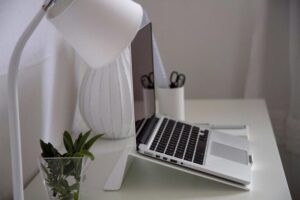
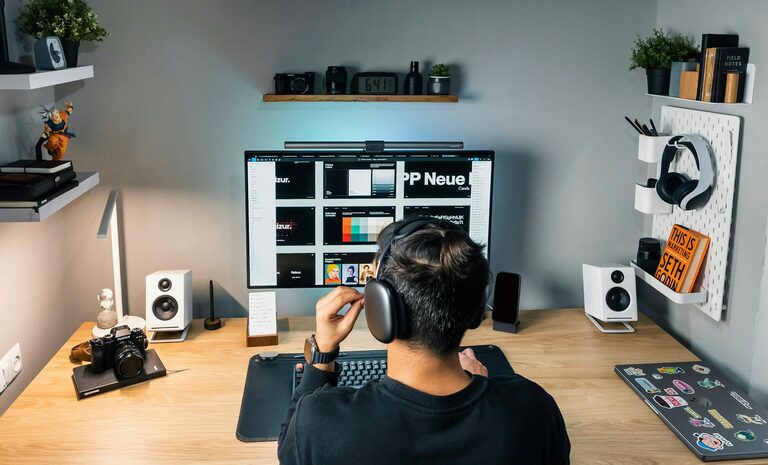
Creating a cozy and productive home workspace is essential for anyone working remotely or managing tasks from home. A well-designed space can inspire creativity, minimize distractions, and help maintain focus. Whether you have a dedicated room or just a small corner, there are practical ways to enhance your work area’s comfort and efficiency.
Choose the Right Location
Start by selecting a location that suits your work style and daily routine.
– Natural Light: Try to position your desk near a window. Natural light helps improve mood and reduces eye strain.
– Quietness: Pick a spot away from high-traffic areas to minimize noise and interruptions.
– Space: Ensure there’s enough room to move comfortably and arrange your work materials.
Invest in Comfortable Furniture
Comfort is key when you spend hours at your desk.
– Ergonomic Chair: Find a chair that supports your posture and can be adjusted for height and back support.
– Desk Size: Choose a desk that fits your equipment without clutter. A larger surface allows for better organization.
– Footrest and Accessories: If your feet don’t touch the floor comfortably, a footrest can help. Consider wrist rests to reduce strain.
Organize Smartly
An organized workspace reduces stress and wasted time looking for things.
– Declutter Regularly: Keep only essential items on your desk.
– Storage Solutions: Use shelves, drawers, or organizers to keep supplies handy but out of the way.
– Cable Management: Tidy up cords with clips or cable sleeves to avoid a tangled mess.
Personalize Your Space
Adding personal touches makes your workspace inviting and inspiring.
– Plants: Indoor plants can improve air quality and add a calming vibe.
– Artwork and Photos: Choose images that motivate or relax you.
– Colors: Soothing colors like soft blues or greens promote focus, while brighter accents can spark creativity.
Optimize Lighting
Proper lighting reduces eye strain and sets the right mood.
– Task Lighting: Use a desk lamp with adjustable brightness for focused work.
– Ambient Lighting: Combine natural light with soft overhead or floor lamps to avoid harsh contrasts.
– Screen Position: Arrange your monitor to avoid glare from lights or windows.
Minimize Distractions
Create boundaries to maintain concentration.
– Set Boundaries: Communicate your work hours with family or housemates.
– Noise Control: Use noise-cancelling headphones or play soft background music if helpful.
– Limit Devices: Keep non-work-related electronics out of reach during work hours.
Incorporate Movement and Breaks
A cozy workspace isn’t just about sitting comfortably—it supports your overall well-being.
– Standing Desk Option: Consider a sit-stand desk to change positions throughout the day.
– Stretching Area: Leave space for simple stretches or short exercises.
– Break Zone: If possible, have a cozy spot nearby to relax during breaks.
Use Technology Wisely
Efficient tools help boost your productivity.
– Reliable Internet: A strong connection is vital for virtual meetings and research.
– Quality Headset: For clear audio during calls.
– Organizational Apps: Use digital calendars, to-do lists, and focus timers to manage your workload.
Maintain a Routine
A consistent routine helps your brain associate the workspace with productivity.
– Start and End Times: Set regular working hours to balance productivity and rest.
– Daily Setup: Take a few minutes each morning to organize your desk and plan your tasks.
– End-of-Day Ritual: Tidy your workspace to signal the end of the workday.
—
By paying attention to these elements, you can create a home workspace that feels both cozy and conducive to productivity. Remember, the best workspace is one tailored to your personal needs and preferences. With thoughtful design and organization, working from home can become a comfortable and efficient experience.