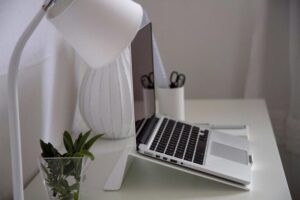

Creating an organized and productive home workspace is essential for anyone who works remotely or spends significant time on projects at home. A well-arranged workspace boosts focus, reduces stress, and helps separate work life from personal life. Whether you’re a remote employee, freelancer, or hobbyist, these simple strategies can transform your workspace into a productive environment.
1. Choose the Right Spot
Start by selecting a workspace that suits your needs. Ideally, pick a corner or room with minimal distractions and good natural light. Sitting near a window can improve mood and energy, while quieter areas help you concentrate better.
Avoid high-traffic zones where family or roommates often gather. Defining a dedicated space for work prevents distractions and helps signal your brain that it’s time to focus.
2. Declutter and Keep Only Essentials
A cluttered desk can cloud your mind and hinder productivity. Regularly clear your workspace of unnecessary items. Keep only what you need daily, such as your computer, notebook, pens, and a headset.
Use small organizers or trays to hold office supplies like paper clips, sticky notes, or cables. Clear surfaces help create a calm atmosphere and make cleaning easier.
3. Use Ergonomic Furniture and Accessories
Comfort is key for long work sessions. Invest in a supportive chair that encourages good posture. Your desk should be at a height that allows your forearms to rest parallel to the floor.
If possible, add an adjustable monitor stand to position your screen at eye level. Consider an external keyboard and mouse if you use a laptop for better ergonomics.
4. Optimize Lighting
Good lighting reduces eye strain and improves focus. Use a combination of natural and artificial light sources. If your workspace lacks enough daylight, add a desk lamp with adjustable brightness.
Choose bulbs with a color temperature around 4000K–5000K, which mimics daylight and helps maintain alertness.
5. Organize Digital Files and Tools
Physical organization isn’t the only part of staying productive. Digital clutter can be just as distracting. Create a simple folder structure for your computer files and email inbox that aligns with your workflow.
Limit open tabs and use productivity apps like task managers or calendars to keep track of your work. Regularly back up important files to avoid loss.
6. Incorporate Storage Solutions
Use shelves, filing cabinets, or wall organizers to store documents, books, and supplies. Vertical storage saves desk space and keeps items visible but out of the way.
Label boxes and folders clearly so you can quickly find what you need. This saves time and keeps paperwork manageable.
7. Personalize Your Space Thoughtfully
Adding personal touches can make your workspace inviting without becoming distracting. A small plant, photos, or inspirational quotes can boost your mood and creativity.
Avoid overcrowding your desk with decorations. Keep a balance between function and comfort.
8. Establish a Daily Routine
Organization extends beyond your space to your time management. Set regular work hours and take breaks to stretch and reset.
At the end of each workday, spend a few minutes tidying your desk and planning for tomorrow. This habit helps you start fresh the next day.
9. Control Noise Levels
If noise is an issue, consider noise-cancelling headphones or white noise machines to minimize distractions. Alternatively, soft background music can help some people focus.
Communicate with household members about your work hours to establish quiet times.
10. Maintain Cleanliness
Keeping your workspace clean not only looks nicer but also supports health and wellbeing. Wipe down surfaces regularly and keep drinks away from electronics.
A clean environment helps reduce allergens and promotes a feeling of calm, making it easier to concentrate.
—
By following these simple tips, you can create a home workspace that supports productivity and comfort. Remember, an organized workspace is a reflection of an organized mind, so invest time in setting up and maintaining your area to enjoy better focus and work-life balance.