Creating a cozy and functional home workspace is essential for anyone who spends time working from home. A well-designed workspace can boost your productivity, enhance your focus, and make your workday more enjoyable. Whether you have a dedicated room or just a corner in your living area, these tips will help you set up a workspace that feels comfortable and supports your daily tasks.
Choose the Right Location
Consider Natural Light
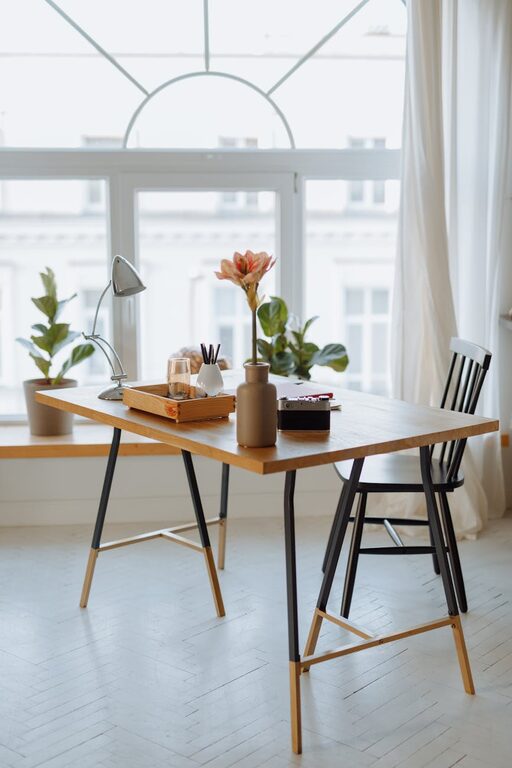
Position your workspace near a window if possible. Natural light helps reduce eye strain and can improve your mood. If natural light is limited, invest in good quality lighting that mimics daylight.
Minimize Distractions
Pick a spot that is quiet and away from busy areas in your home. This will help you focus and reduce interruptions during work hours.
Invest in Comfortable Furniture
Ergonomic Chair and Desk
Choose a chair that supports good posture with adjustable height and lumbar support. Your desk should be at a comfortable height, allowing your forearms to rest parallel to the floor.
Add Soft Touches
Consider a cushioned seat pad, a footrest, or a small rug beneath your desk to make the space feel warmer and inviting.
Organize Efficiently
Use Storage Solutions
Keep your desk clutter-free by using shelves, drawers, or boxes to store supplies. Label items so you can find them quickly.
Keep Essential Items Within Reach
Arrange frequently used tools like pens, notebooks, and chargers near you to avoid constant stretching or standing up.
Personalize Your Workspace
Add Plants
Greenery not only enhances the look of your space but also improves air quality and can help reduce stress.
Display Inspiring Items
Include photos, quotes, or artwork that motivate and uplift your spirits while you work.
Manage Technology Smartly
Keep Cords Tidy
Use cable organizers or clips to prevent cords from tangling and cluttering your desk.
Invest in Quality Accessories
A good keyboard, mouse, and headset can greatly improve comfort, especially during long work sessions.
Establish Boundaries Between Work and Relaxation
Use Room Dividers or Curtains
If your workspace is part of a larger room, consider physical dividers to signal when you are working and create a sense of separation.
Create a Routine
Start and end your workday with small rituals, like opening and closing your laptop, to mentally switch between work and home mode.
Add Personal Comforts
Maintain Comfortable Temperature
Use a fan, heater, or humidifier as needed to keep the temperature just right.
Include a Water Bottle or Coffee Mug
Staying hydrated and having your favorite beverage close by can keep you energized.
Keep It Simple and Flexible
Avoid Overdecorating
Too many items can clutter your space and distract you from work.
Allow Room to Change
Your needs might evolve, so keep your setup adaptable by using modular furniture or multi-functional items.
—
By following these tips, you can create a home workspace that is both cozy and functional. A space that feels inviting will encourage you to stay productive and enjoy your work-from-home experience. Remember, the best workspace is one that fits your personal style and work habits, so experiment until you find what works best for you.